 Heatlines
Strava heatmap and year recap from your own export
Every route you ran, rode or walked on one map, plus a year card to post. Free, no account.
- Your files never leave your device
- Strava and Garmin exports
- Thousands of routes at once
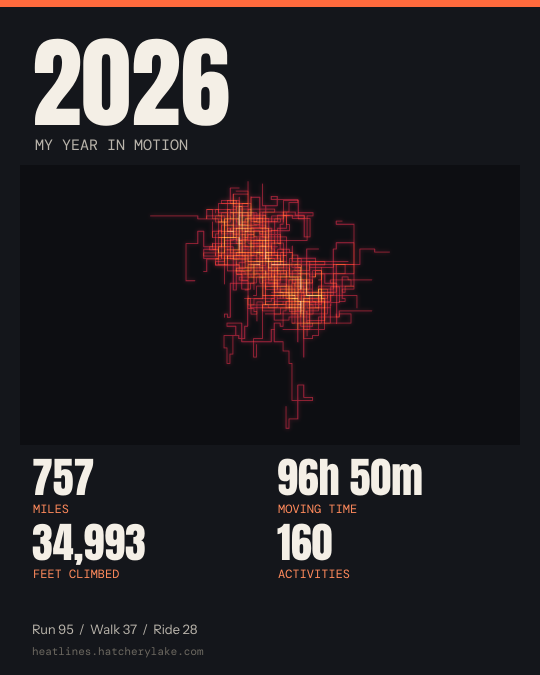
Your recap
These are made-up sample routes. Drop your own export to make your card.
No GPS routes in this year, so the map is empty. Your totals still count.
| Sport | Count | Distance | Time | Longest |
|---|
Get your export
Both services email you a link to a ZIP of everything you have recorded. Download it, then drop it above as it is: no need to unzip.
From Strava
- On strava.com, open Settings, then My Account.
- Under "Download or Delete Your Account", choose Get Started.
- Choose "Request Your Archive". Strava emails you a link.
- Download the ZIP and drop it on this page.
From Garmin Connect
- Sign in to your Garmin account's Data Management page.
- Choose "Export Your Data", then "Request Data Export".
- Garmin emails you a link when the file is ready.
- Download the ZIP and drop it on this page.
Have single routes instead? Drop any GPX, FIT or TCX files, from a watch, a bike computer or another app.
Questions
Do my files get uploaded?
No. Your files never leave your device. This page reads them in your browser and draws the map there; closing the tab clears them.
What does the year card show?
Your distance, moving time, climbing and number of activities for the year you pick, your top sports, and the map of the place you go most. Pick another place from the menu if you traveled.
Why are my totals different from the app's?
For a Strava archive, totals come from its activities list, so they match closely. For loose files and Garmin routes, distance is measured along the GPS points and climbing ignores bumps under 3 meters, so they can differ a little.
Is this made by Strava or Garmin?
No. Heatlines is an independent free tool and is not affiliated with Strava or Garmin. It reads the export files they give you.